Providers and models
Kimi Code CLI supports connecting to multiple LLM platforms simultaneously: one-click login via the Kimi Code managed service, connecting Claude with an Anthropic API key, or connecting third-party inference services via the OpenAI-compatible protocol. Each provider corresponds to a specific API protocol; models are declared on top of providers with their own name, context length, and capabilities. This page explains how to configure each type of provider in config.toml.
Supported provider types
The type field in the providers table determines which protocol implementation to use:
| Type | Protocol | Typical use |
|---|---|---|
kimi | OpenAI-compatible | Kimi Code managed service, Kimi Platform API key |
anthropic | Anthropic Messages | Claude model family |
openai | OpenAI Chat Completions | OpenAI and compatible services, DeepSeek, Qwen, etc. |
openai_responses | OpenAI Responses API | OpenAI's newer Responses interface |
google-genai | Google GenAI | Gemini API |
vertexai | Google GenAI on Vertex | Google Cloud Vertex AI |
All providers communicate with models in streaming mode by default. Capabilities such as thinking, vision, and tool use are matched automatically by model name prefix, so you typically do not need to declare them manually.
Credential priority: api_key or api_key_env (mutually exclusive alternatives — set exactly one) > [providers.<name>.env] sub-table key (only when neither is present) > if all are absent, startup fails with an error. Except for the explicitly declared api_key_env, the CLI does not fall back to shell environment variables for credentials. See Config overrides: provider credentials.
/provider — interactive provider management
Prefer not to edit TOML by hand? Type /provider in the TUI to open the provider manager, where you can interactively add or remove providers.
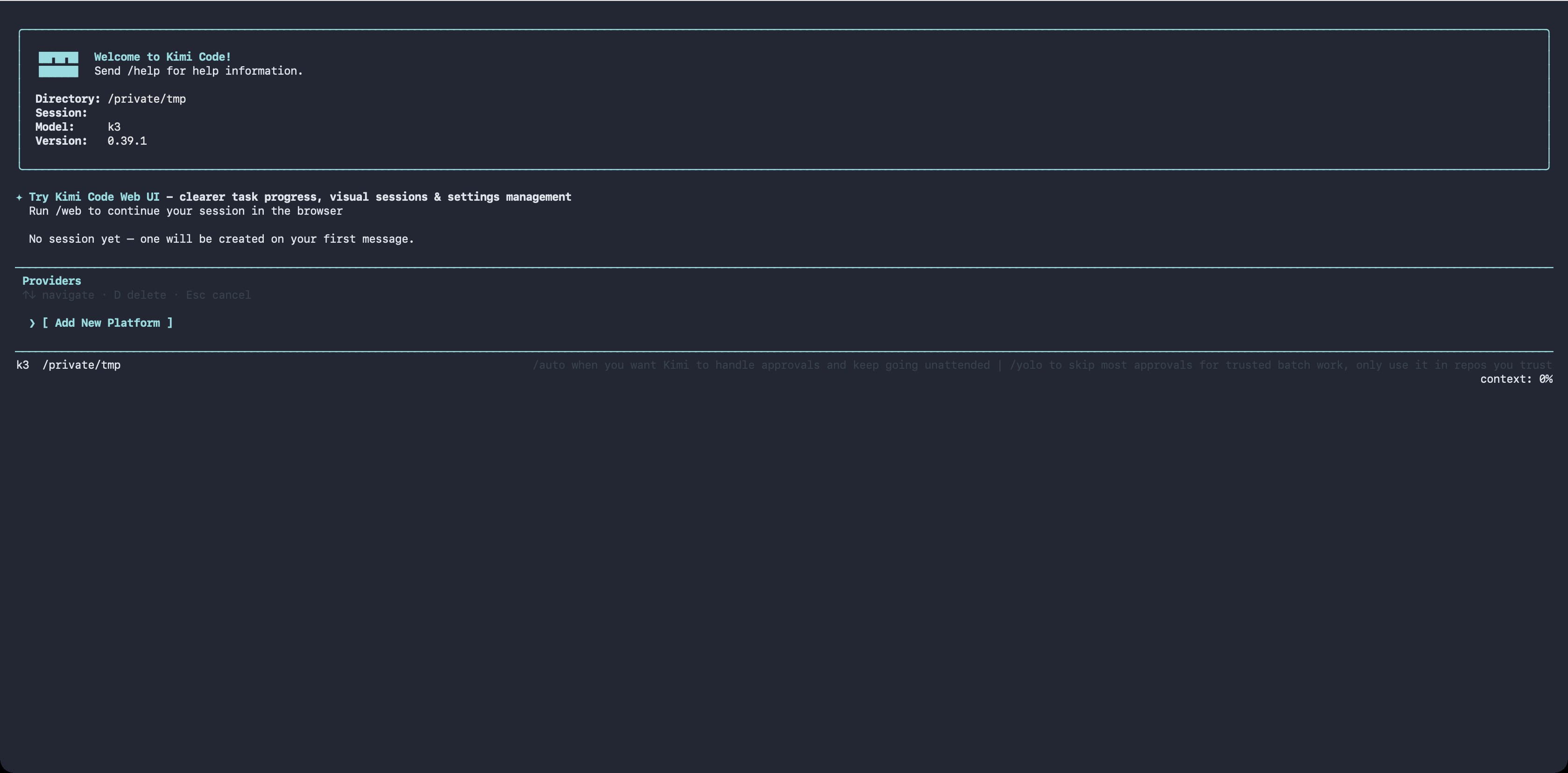
The manager displays providers as a list of entries grouped by source. Navigation:
- ↑/↓ to move the cursor, ←/→ to page
dto delete the current provider (with[y/N]confirmation)- Press Enter on the
[ Add New Platform ]row to add a new provider
Two paths when adding:
- Known third-party provider: fetches the model catalog from models.dev, select a provider → enter an API key → select a default model. Vendors whose protocol the catalog does not declare (e.g. xai, openrouter, and other vendor-specific SDKs) are imported as OpenAI-compatible with a "guessed" note; when the catalog provides no usable endpoint, a base URL prompt appears first; proprietary protocols (Amazon Bedrock, Cohere) and unrecognized explicit protocols are refused. Deprecated and alpha-status models are excluded from the import list. If the public catalog is unreachable, the CLI falls back to a built-in snapshot of the catalog, so the import still works offline or in blocked networks
- Custom registry (api.json): paste a custom registry URL and, for private registries, a Bearer token; the CLI automatically creates the
providers/modelsentries. When a registry entry declares theenvfield (the name of the environment variable holding the API key), the CLI prints it as a hint — setapi_key_envinconfig.tomlyourself to use it. The binding is never automatic: the registry chooses both the variable name and the endpoint the credential is sent to, so it must not decide which of your secrets is read. For private registries the Bearer token itself is still stored assource.apiKeyso the registry can be refetched on refresh. On later startup, providers from the same registry URL are refreshed together, so upstream provider additions, removals, and model metadata changes are synced.
WARNING
Kimi Code OAuth managed accounts logged in via /login do not appear in /provider. Use /login and /logout to manage them.
The same operations are also available in non-interactive environments via the shell command: kimi provider.
kimi
For connecting to Moonshot AI's OpenAI-compatible interface, including the Kimi Code managed service and Kimi Platform API keys.
- Default
base_url:https://api.moonshot.ai/v1 - Credential key names:
KIMI_API_KEY,KIMI_BASE_URL - Additional capability: supports video upload
[providers.kimi]
type = "kimi"
base_url = "https://api.moonshot.ai/v1"
api_key = "sk-xxxxx"
When using the Kimi Code managed service, running
/loginautomatically configuresbase_urland credentials, so no manual setup is needed.
anthropic
For connecting to the Claude API. Standard Claude models automatically enable vision, tool use, and Thinking (where supported); custom or uncovered models need capabilities declared explicitly on [models.<alias>].
- Default
base_url: follows Anthropic SDK default - Credential key names:
ANTHROPIC_API_KEY,ANTHROPIC_BASE_URL - Default
max_tokens: inferred per model. To override, setmax_output_sizeon the model alias
[providers.anthropic]
type = "anthropic"
api_key = "sk-ant-xxxxx"

[models."claude-opus-4-7"]
provider = "anthropic"
model = "claude-opus-4-7"
max_context_size = 200000
# max_output_size = 32000  # optional; omit to use the model-inferred default
openai
For connecting to the OpenAI Chat Completions protocol, as well as any third-party service compatible with that protocol (override base_url as needed).
Third-party reasoning models (DeepSeek, Qwen, One API, etc.) work out of the box: the CLI automatically handles the reasoning_content field and reasoning_effort injection. If your gateway returns reasoning content under a non-standard field name, set reasoning_key on the model alias to override.
- Default
base_url:https://api.openai.com/v1 - Credential key names:
OPENAI_API_KEY,OPENAI_BASE_URL
[providers.openai]
type = "openai"
base_url = "https://api.openai.com/v1"
api_key = "sk-xxxxx"
openai_responses
Corresponds to OpenAI's newer Responses API, always operating in streaming mode. Configuration is the same as openai.
- Default
base_url:https://api.openai.com/v1 - Credential key names:
OPENAI_API_KEY,OPENAI_BASE_URL
[providers.openai-responses]
type = "openai_responses"
base_url = "https://api.openai.com/v1"
api_key = "sk-xxxxx"
google-genai
For connecting directly to the Google Gemini API. Thinking, vision, and multimodal capabilities are auto-detected by model name.
- Credential key name:
GOOGLE_API_KEY
[providers.gemini]
type = "google-genai"
api_key = "xxxxx"
To route through a Gemini-compatible proxy or gateway, set base_url (or the GOOGLE_GEMINI_BASE_URL env var); when omitted, the SDK default https://generativelanguage.googleapis.com is used.
Give the host root only. The Google GenAI SDK appends the API version and path itself (e.g.
/v1beta/models/<model>:generateContent), so a trailing/v1betawould produce a doubled/v1beta/v1beta/….
[providers.gemini]
type = "google-genai"
api_key = "xxxxx"
base_url = "https://your-gateway.example"
vertexai
Shares the same implementation as google-genai; setting type = "vertexai" switches to the Vertex AI access path.
Authentication follows the standard Google Cloud ADC flow (gcloud auth application-default login or a GOOGLE_APPLICATION_CREDENTIALS service account JSON); this part is unrelated to Kimi Code. The project ID and region must be written in the [providers.vertexai.env] sub-table. Simply export GOOGLE_CLOUD_PROJECT in the shell will not be read by the CLI.
[providers.vertexai]
type = "vertexai"

[providers.vertexai.env]
GOOGLE_CLOUD_PROJECT = "my-gcp-project"
GOOGLE_CLOUD_LOCATION = "us-central1"gcloud auth application-default login # one-time authentication
kimiTo route Vertex requests through a custom (e.g. proxied) endpoint, set base_url (or the GOOGLE_VERTEX_BASE_URL env var); when omitted, the SDK default regional *-aiplatform.googleapis.com host is used. As with google-genai, give the host root only. The SDK appends /v1beta1/publishers/google/models/… itself.
OAuth and credential injection
The Kimi Code managed service uses OAuth rather than static API keys. After running /login, the built-in authentication toolchain automatically writes and refreshes credentials, so no manual configuration is needed in config.toml for this.
Next steps
- Configuration files — full field reference for the
providersandmodelstables - Config overrides — credential resolution priority rules for providers
- Environment variables — credential key names per provider type